
How to Organize Financial Documents Before Your Audit
A practical checklist for sorting invoices, receipts, bank statements, and ledgers so your auditor doesn’t waste time hunting for documents. Most companies save 2-3 weeks of audit time with proper organization.

Why Document Organization Matters
Here’s the thing — auditors aren’t there to make your life difficult. They’re following a process, checking that your financial statements are accurate and complete. But when documents are scattered across emails, filing cabinets, and cloud folders, that process takes forever. We’ve seen audits get delayed by weeks because someone couldn’t find a receipt from March.
Good organization doesn’t just speed up the audit. It gives you confidence that you’re actually in control of your financial records. You’ll know where everything is. You’ll spot gaps before the auditor does. And you’ll reduce the risk of missing something important.
Average time saved
2-3 weeks
by organizing documents before audit starts
Create a Document Inventory System
Start by listing what you actually have. Don’t organize yet — just identify everything. You’ll need invoices (both sales and expenses), receipts, bank statements, payroll records, journal entries, general ledger, fixed asset schedules, and supporting documentation for unusual transactions.
We recommend using a spreadsheet with columns for document type, date range, location, and whether you’ve found it. This becomes your master checklist. It’s tedious, but it’ll save you hours when the auditor asks, “Do you have the support for that $50,000 payment in July?”
List document categories (invoices, receipts, statements, payroll)
Note date ranges covered (January through December)
Identify where each document type is stored

Organize by Category and Time Period
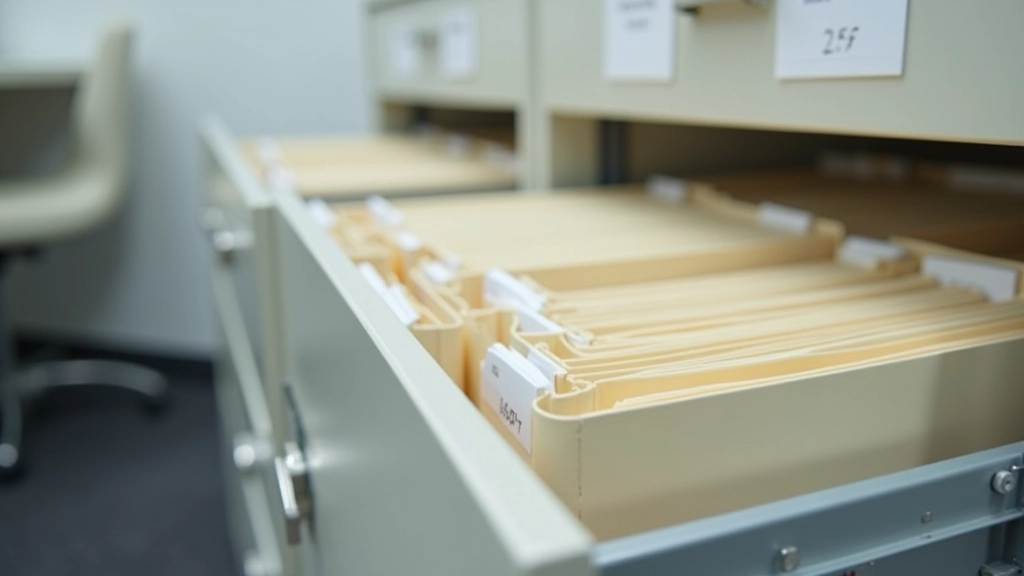
Don’t just throw everything in one folder. Create a logical structure. The simplest approach? Organize by month, with subfolders for each document type. January invoices go in one folder, January receipts in another. This makes it easy to pull records for any given period.
For electronic documents, mirror this structure in your accounting software or cloud storage. If you’re using QuickBooks, Xero, or similar, make sure your folder system matches how the software expects things organized. It’s less about perfection and more about consistency.
Pro tip: Use consistent naming conventions. Instead of “Invoice_123.pdf” use “2026-01-15_INV_Customer-Name.pdf”. The date at the start makes chronological sorting automatic.
Explore More Audit Preparation Resources



Handle Bank Statements and Reconciliations
Bank statements get special attention because they’re core audit evidence. You’ll need statements for every account you operated during the year — checking, savings, credit cards, loans. Keep them in chronological order, and make sure your bank reconciliations are done and documented.
Don’t just have the reconciliations. Have the supporting schedules too. The reconciliation sheet shows what you’re doing, but auditors also want to see the detailed breakdown of outstanding checks, deposits in transit, and any timing differences you’ve identified.
Bank Document Checklist
- Monthly bank statements for all accounts
- Completed bank reconciliations
- Outstanding check schedules
- Deposits in transit documentation
- Bank confirmation letters (if requested)
- Credit card statements and reconciliations


Keep Supporting Documents Accessible
For every significant transaction, you need support. An invoice from a vendor. A receipt showing what you purchased. An agreement if it’s a contract. Email confirmation if it’s a service. This doesn’t mean you need paper copies of everything — digital is fine — but it does mean you need to know where each document is.
The rule of thumb: If you can’t explain a transaction and show the auditor evidence within 2 minutes, your documentation isn’t good enough. Keep high-value transactions (anything over 5,000 or HK$40,000) especially well-documented. These get the most scrutiny.
Don’t worry about being perfect. Auditors understand that small receipts get lost. But patterns matter. If you can’t find support for 10 transactions over 1,000, that’s a problem. If you can find it for 9 out of 10, you’re fine.

Getting Ready Is Easier Than You Think
Good document organization isn’t about having a perfect system. It’s about being systematic. Create a structure, stick to it, and make sure you know where everything is. That’s genuinely all your auditor needs.
Start now, even if your audit isn’t for another 6 months. You don’t need to organize everything at once. Pick one category — invoices, for example — and get those sorted. Then move to the next. By the time the auditor arrives, you’ll be ready.
The companies that sail through audits aren’t the ones with perfect records. They’re the ones who can find their records quickly and explain them clearly. That’s your goal.
Important Disclaimer
This article is provided for informational and educational purposes only. It isn’t legal advice or professional accounting guidance. Audit requirements and best practices vary depending on your company’s size, industry, and regulatory environment. Before your audit, consult with your external auditors, accountants, or legal advisors regarding your specific situation and compliance obligations. Every company’s circumstances are different, and professional guidance tailored to your business is essential for proper audit preparation.